Skip to content
View in the app

A better way to browse. Learn more.

Форум Туртранс-Вояж

A full-screen app on your home screen with push notifications, badges and more.

To install this app on iOS and iPadOS
  1. Tap the Share icon in Safari
  2. Scroll the menu and tap Add to Home Screen.
  3. Tap Add in the top-right corner.
To install this app on Android
  1. Tap the 3-dot menu (⋮) in the top-right corner of the browser.
  2. Tap Add to Home screen or Install app.
  3. Confirm by tapping Install.

Сравнение туров

Уважаемые форумчане,


в продолжение темы о составлении таблиц при выборе туров обращаем Ваше внимание, что на нашем сайте реализована опция "Сравнение туров".


Инструкция по применению:


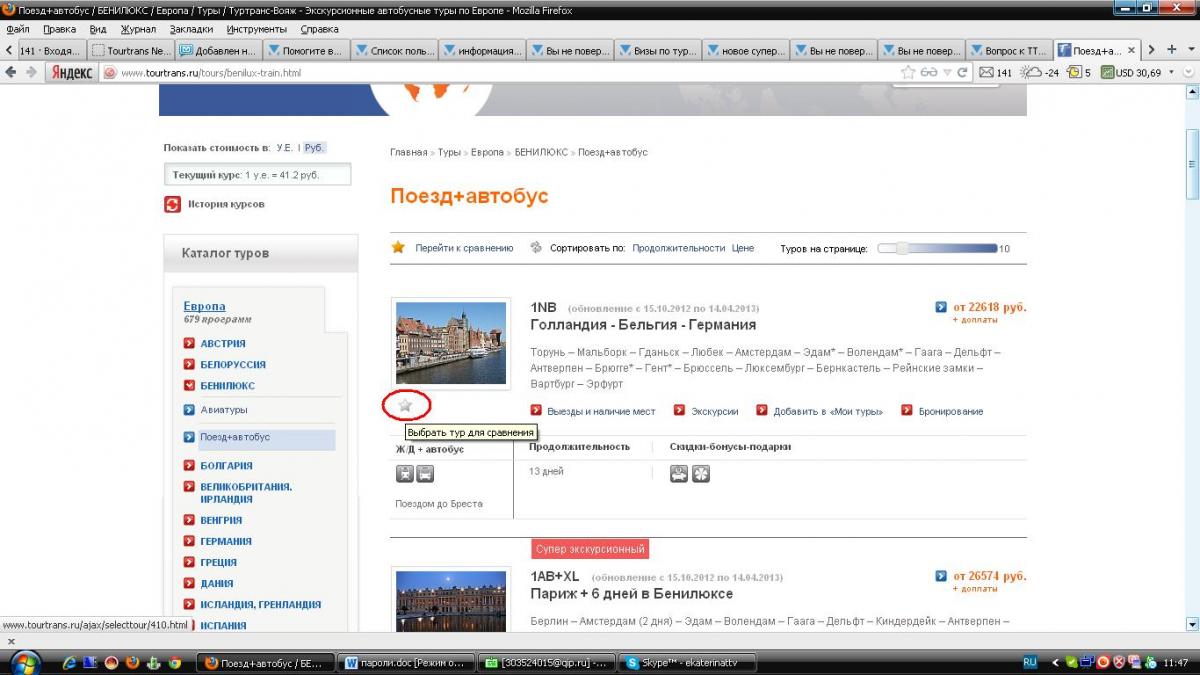
В списке туров, выведенных либо при клике на одном из пунктов левого меню по странам, либо - в результатах поиска, слева прд картинкой в "карточке" тура можно увидеть серую звездочку

sravnenie1.JPG

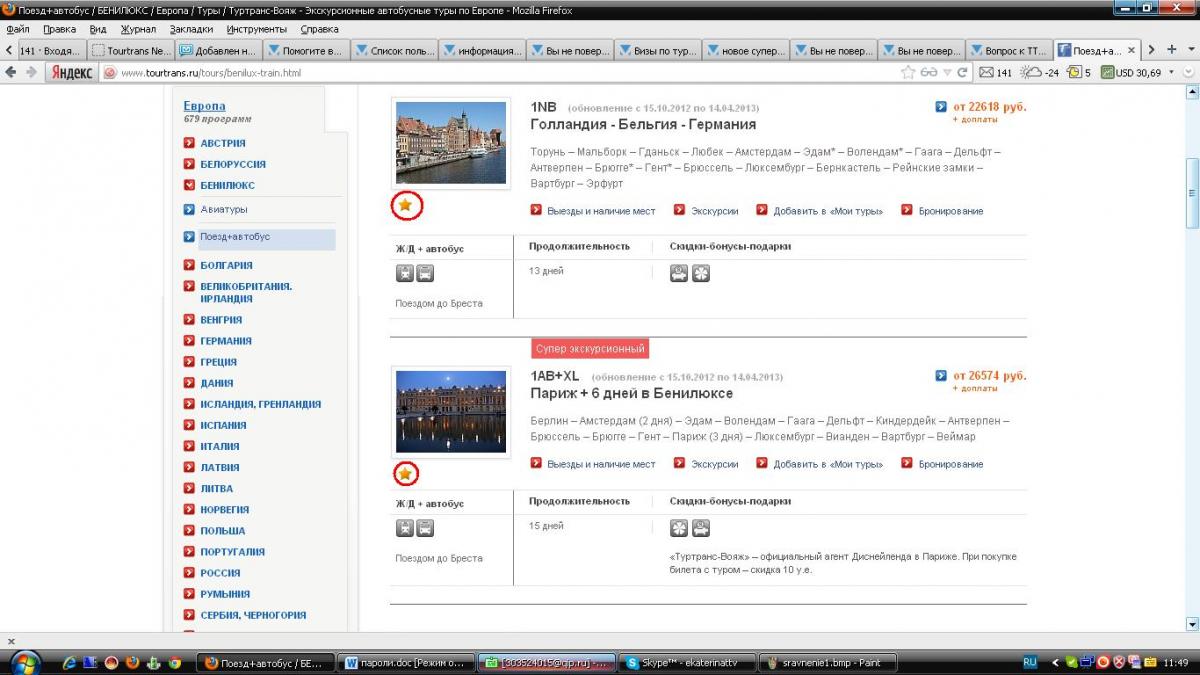
Кликаем левой кнопкой мыши по серой звёздочке в тех турах, которые Вас заинтересовали. и звездочка становится желтой

sravnenie2.JPG

После того, как все туры, интересующие нас для сравнения, отмечены, кликаем на опцию "перейти к сравнению" вверху списка туров

sravnenie3.JPG

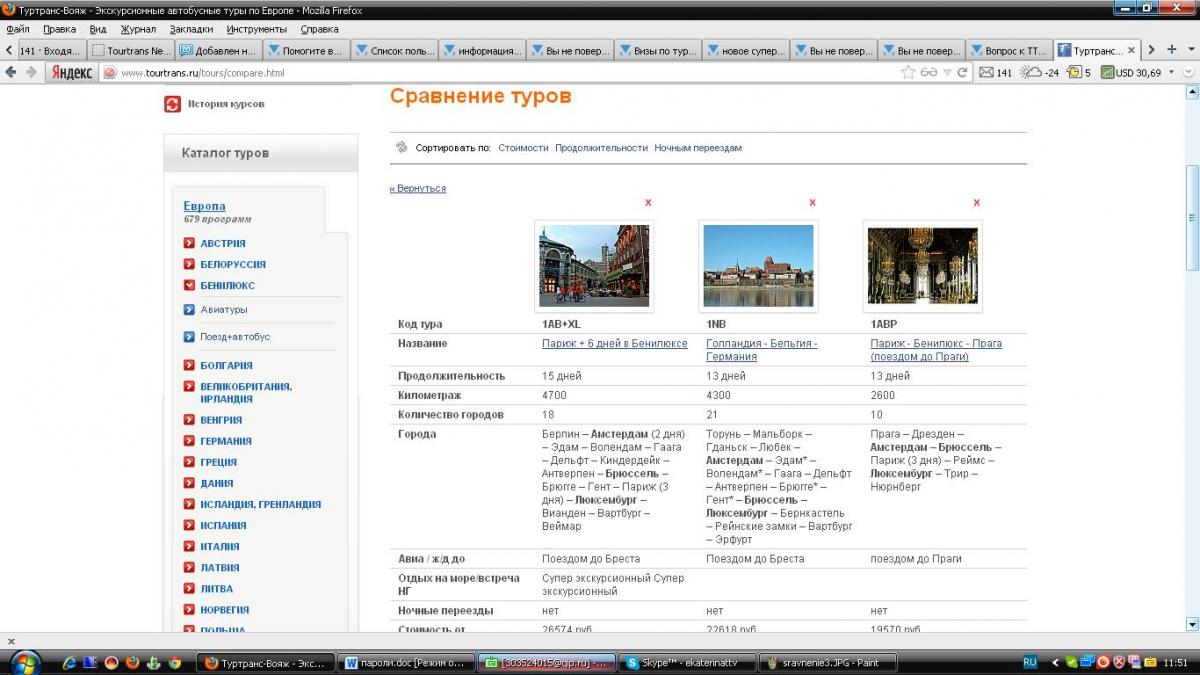
и в результате, получаем вот такую табличку:

sravnenie4.JPG


Надеемся, это удобно)))


С уважением,

ТТВ.


Источник: Помогите выбрать!

0 Comments

Recommended Comments

There are no comments to display.

Join the conversation

You are posting as a guest. If you have an account, sign in now to post with your account.
Note: Your post will require moderator approval before it will be visible.

Guest
Unfortunately, your content contains terms that we do not allow. Please edit your content to remove the highlighted words below.
Add a comment...

Account

Navigation

Search

Search

Configure browser push notifications

Chrome (Android)
  1. Tap the lock icon next to the address bar.
  2. Tap Permissions → Notifications.
  3. Adjust your preference.
Chrome (Desktop)
  1. Click the padlock icon in the address bar.
  2. Select Site settings.
  3. Find Notifications and adjust your preference.